
March 7, 2024

Are you overwhelmed by the relentless pace of digital marketing and the constant need for SEO optimization? Imagine if you could put some of those tasks on autopilot. That’s where Make (formerly Integromat) comes into play, offering a way to supercharge your SEO strategies with automation. Let’s delve into seven automation strategies that can not only save you precious time but also improve your website’s standing in search engine results.

1. Competitor Analysis Automation

Imagine having a secret window into your competitors’ strategies, giving you the upper hand. By automating the tracking of their blog updates, keyword usage, and SEO maneuvers, you’re essentially doing just that. It’s like playing a strategic game where you’re always one move ahead, nimbly navigating through the ever-changing landscape of digital competition.

For Example: Automatically tracking a competitor’s blog updates and keyword changes.

How-to:

  1. Set Up Triggers: Use RSS feeds or webhooks to monitor competitor blogs or websites.
  2. Extract Key Data: Use Make scenarios to automatically extract new content details such as titles, keywords, and descriptions.
  3. Analyze Changes: Use SEO tools like SEMrush or Ahrefs to analyze any new keywords or strategies they’re employing.
  4. Send Reports: Configure Make to send periodic reports with this data to your email or Slack.

Streamlined Local SEO Management

2. Streamlined Local SEO Management

Streamlining your local SEO tasks, like keeping Google My Business listings up to date and monitoring reviews, can make a big difference in how you rank locally. Automation takes the heavy lifting out of the equation, making sure your local presence is both accurate and compelling without constant manual oversight.

For Example: Updating and monitoring Google My Business listings for multiple locations.

How-to:

  1. Connect to Local SEO Tools: Integrate with tools like Moz Local or Yext.
  2. Automate Updates: Set up processes to automatically update listings with new hours, photos, or responses to reviews.
  3. Monitor Reviews: Get alerts for new reviews to respond quickly.
  4. Reporting: Generate regular reports on listing performance and local search rankings.

Image Optimization on Auto-Pilot

3. Image Optimization on Auto-Pilot

Automating the optimization of images on your website can significantly boost page performance. Faster loading times not only enhance the user experience—a key SEO factor—but also free up your time to focus on other aspects of your website.

For example: Automatically optimizing images uploaded to your CMS.

What can I do?

  1. Monitor New Uploads: Set up a trigger for when new images are uploaded to your CMS.
  2. Connect to an Image Optimization Tool: Use services like TinyPNG or Kraken.io within Make.
  3. Optimize and Replace: Automatically optimize the images and replace the originals with the optimized versions on your site.

Efficient Content Research

4. Efficient Content Research – Capitalize on Trending Topics

Automating your content research can keep you ahead of the curve. By pulling in trending topics from social media and news outlets, you can craft content that truly speaks to your audience and attracts more visitors, all while saving time on manual research.

For Example: Gathering trending topics from social media and news feeds.

What can I do?

  1. Set Up Social Media Triggers: Monitor keywords and hashtags on platforms like Twitter or Reddit.
  2. Integrate with News Aggregators: Use tools like Feedly to pull in trending topics.
  3. Collect and Analyze Data: Aggregate this data for analysis to identify popular subjects.
  4. Generate Content Ideas: Use this data to inform your content creation strategy.

5. Automated SERP Analysis – Monitor Your Keyword Success

Automated SERP analysis allows you to monitor your keyword rankings effortlessly. This ongoing oversight offers crucial insights, enabling you to tweak and enhance your SEO strategies for better results, without the need for constant manual checks.

For Example – Monitoring search engine result pages for selected keywords.

What can I do?

  1. Use SEO Tools: Integrate with tools like Moz or Ahrefs.
  2. Set Keyword Triggers: Monitor specific keywords and get updates on their SERP rankings.
  3. Analyze Data: Collect data on rankings, featured snippets, and other SERP features.
  4. Adjust Your Strategy: Use these insights to refine your SEO strategy.
Proactive Broken Link Management - Maintain a Healthy Website

6. Proactive Broken Link Management – Maintain a Healthy Website

By automatically detecting and fixing broken links, you’re ensuring your website remains navigable and SEO-friendly. This kind of proactive management keeps your site in top shape, enhancing both the user experience, and your SEO profile with minimal effort on your part.

For Example: Regularly scanning your website for broken links.

What can I do?

  1. Schedule Regular Scans: Use tools like Screaming Frog or Broken Link Checker.
  2. Integrate with Your Website: Connect these tools to your CMS.
  3. Automate Notifications: Set up alerts for when broken links are found.
  4. Quick Repair: Use these alerts to promptly fix or replace broken links.

7. Social Media Engagement Tracking – Understand Your Audience Better

Automatically tracking your social media engagement gives you a clearer picture of what resonates with your audience. This insight allows you to adjust your content and SEO strategies to better align with audience preferences, streamlining your efforts for more effective engagement.

Example: Analyzing engagement on your social media posts.

How-to:

  1. Connect to Social Platforms: Integrate with platforms like Facebook, Twitter, LinkedIn.
  2. Gather Engagement Data: Collect likes, shares, comments, and other engagement metrics.
  3. Analyze Trends: Use this data to understand what content resonates with your audience.
  4. Report and Refine: Generate reports for your team to review and refine your social media strategy.

Incorporating these automation techniques with Make (Integromat) while combining them with other platforms as shown above can significantly elevate your SEO and digital marketing game.

Not only do they save time, but they also offer strategic insights, helping you stay ahead in the ever-changing landscape of digital marketing. Start automating today and witness the transformative impact on your SEO efforts.
 

Topics:

Interested in more?

OZ  Ai animation in 2026 v2

Animations In The World Of Ai

By 
Eliav Yosef
, 23/03/2026

AI didn’t make motion design easier—it made it more strategic. Discover how the world of animations is shifting from manual execution to high-level direction, and why the human element is now your brand's most critical asset.

min read

Animations have been changed forever by AI — but not in the way many people first imagined. If you're a B2B marketing leader, you might assume AI-driven animations are simply a cheaper, faster way to churn out content. But this isn’t a story about replacing motion designers or animators; it’s a story about redefining the craft, reshaping workflows, and clarifying where human creativity and brand strategy in animations become more important than ever.

In 2026, creating animations with AI is not about pressing a button. It’s about directing systems, shaping narrative, and knowing where automation ends and design begins. More importantly, it is a tool that allows complex B2B brands to visualize abstract technologies through high-quality animations faster and more effectively before committing to a final, expensive 3D render.

Here is a look at the modern AI ecosystem for animations, how the workflow has evolved, and why the human element remains your brand's biggest asset.

The AI Animation Toolbox: What’s Actually Being Used

AI animation is not powered by one “magic tool,” but by ecosystems of platforms, each serving a different creative role.
  • Cinematic AI Video Generation: Tools like Higgsfield focus on video as cinema, not as motion graphics. They allow creators to define camera movement, pacing, and visual language using prompts that resemble directing notes more than animation instructions. These are ideal for short cinematic sequences and concept films with strong mood and intent.
  • Workflow & Creative Orchestration: Freepik Spaces, Weavy, ComfyUi or any node-based AI platform represents a new category: AI as a workflow environment. Instead of jumping between disconnected tools, designers can build idea-to-video flows, experiment visually, and treat animation as a system rather than a single file. This is especially powerful for B2B studios managing complex creative pipelines.
  • Experimental Ideation & Visual Exploration: Platforms like Google Labs are less about production, and more about creative exploration. They help designers rapidly test visual directions and build moodboards to explore aesthetics before animation begins.
 

From 2D to 3D: AI-Driven Dimensional Thinking

One of the most impactful shifts in AI animation is the ability to move from flat images to spatial scenes. Modern AI engines can infer depth from a single image, generate basic 3D structures from 2D visuals, and enable camera movement inside static compositions. For B2B brands selling complex hardware or medical devices, this is revolutionary. It allows motion designers to start with intuition and sketches, and only later move into structured 3D workflows—reversing the traditional, time-heavy pipeline.  

The Right AI Animation Workflow (Step by Step)

AI doesn’t eliminate process—it demands a better one.
  1. Concept & Narrative Definition Before touching any tool, you must ask: What is the story? Is this cinematic, playful, abstract, or informative? AI performs best when creative intent is crystal clear.
  2. Visual Language & Mood Exploration This is where AI shines. Designers can rapidly generate visual styles, test lighting, and explore pacing. At this stage, speed matters more than precision.
B2B Use Case: Imagine a cybersecurity firm launching a new cloud product. Instead of spending two weeks storyboarding, the motion design team uses AI to generate three distinct visual moods (e.g., highly technical vs. abstract and secure) in two days, allowing the marketing director to choose the emotional direction before a single keyframe is animated.
  1. AI-Generated Motion & Video Using video diffusion engines, creators generate motion drafts and experiment with rhythm and transitions. Think of these as rough cuts, not final films.
  2. Human Refinement & Direction (The Brand Check) This is the most critical step, and the one AI cannot replace. This is where designers shape timing, ensure narrative clarity, and fix inconsistencies AI inevitably introduces. Most importantly, this is where the visuals are strictly aligned with your brand guidelines. B2B brands need exact hex codes, corporate typography, and regulatory compliance—nuances AI simply cannot manage alone.
 

What AI Enables vs. Where Professionals Are Essential

The Democratization of Ideation: AI enables anyone to generate basic animated visuals, create short experimental videos, and prototype ideas without technical expertise. This democratization is powerful — and positive. Where AI Alone Falls Short: However, when it comes to high-stakes B2B marketing, "almost right" isn't good enough. AI struggles with:
  • Strategic storytelling and complex narrative structures
  • Strict brand consistency
  • Emotional nuance and long-form animation logic
This is where experienced motion designers and studios become irreplaceable.  

The New Role of the Animator

In the AI era, motion designers and animators are no longer just executors of movement. They have evolved into visual directors, narrative architects, and AI system orchestrators. They act as the vital translators between brand, story, and technology. AI handles generation. Designers handle meaning.  

Final Thought: AI Doesn’t Replace Motion Design, It Raises the Bar

Animation has always been about movement. But today, it’s about intentional motion. The designers and marketing teams who thrive in this era won’t be the ones who master every new software update. They will be the ones who know when to use AI, when to override it, and when human judgment is the difference between digital noise and a compelling brand story. AI didn’t make motion design easier. It made it more important.
Read More
Facebook EN 1

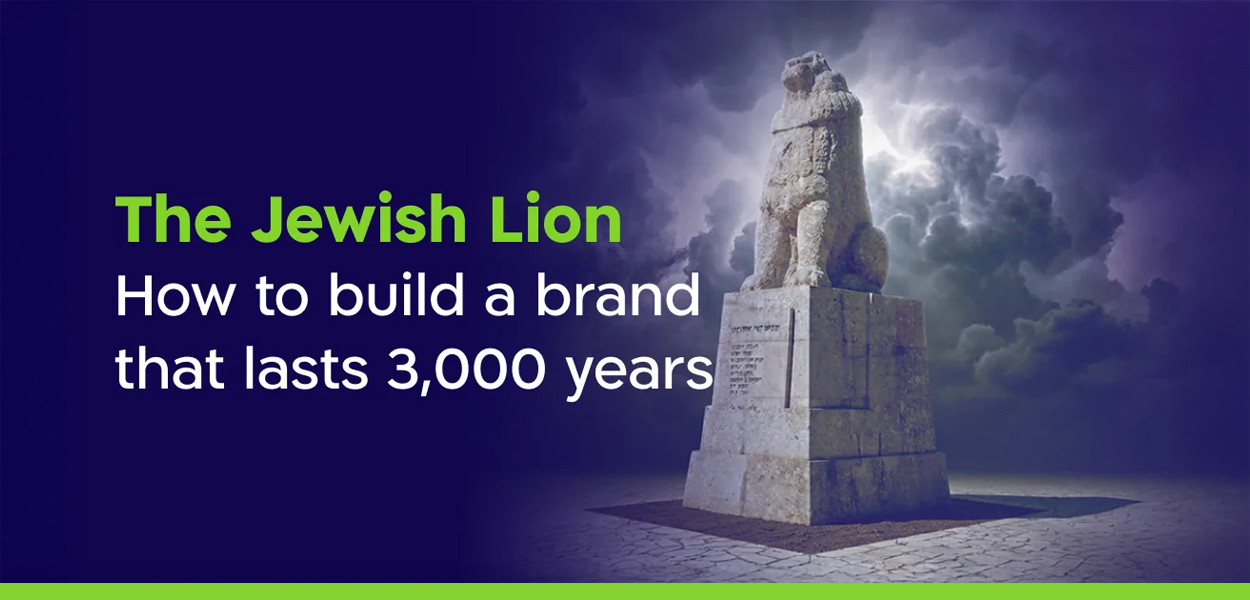
The Jewish Lion: How to Build a Brand That Lasts 3,000 Years

By 
Amit Sakal
, 04/03/2026

Beyond ancient symbols: How do you build a brand that lasts for millennia? Discover the fascinating branding strategy behind the Jewish Lion – from the Bible to the modern battlefield.

min read

How do you build a brand that lasts for millennia? If you are wondering how to build a brand that lasts for generations, the answer lies in one ancient symbol.Lately, certain names have resurfaced: “Am KeLavi” - A People Like a Lion. “Roaring Lion.”

Operation names. Security language. Headlines. But from a branding perspective, this is a fascinating choice. In an era when nations invest billions in narrative, public diplomacy, and perception management, Israel repeatedly returns to the same ancient symbol: the lion. Not a refreshed logo. Not an updated digital aesthetic. Not a passing graphic trend. A lion. And when you examine it closely, it may be one of the most consistent branding moves in human history.  

A Brand That Hasn’t Rebranded Since Genesis

The story begins long before content strategy or visual systems. In the Book of Genesis, Jacob blesses Judah with the words: “Gur Aryeh Yehuda” - Judah is a lion’s cub. This wasn’t merely poetic imagery. It was a foundational positioning decision. The lion wasn’t chosen because it is the strongest animal in the wild. It was chosen because it is perceived as sovereign - a natural authority, a presence that does not need to strive for dominance. In branding terms, this is precise positioning. The lion does not symbolize reckless aggression. It represents restrained power. Not “we attack.” But “we are here - and we are not going anywhere.” That is a far deeper message than brute force.  

Design in Exile: When There Is No State, There Is Still a Visual Language

For nearly two thousand years, there was no sovereignty. But there was branding. The lion appeared in synagogues, on Torah arks, in manuscripts - often flanking the Tablets of the Covenant, sometimes crowned. From a design perspective, this was brilliant: When political power disappears, you reinforce the symbol. During exile, the lion was not a call to rebellion. It was an anchor of identity. A form of brand consistency in the midst of historical chaos. Real brands are not built in comfortable eras. They are tested in difficult ones.  

Zionism: Rebranding Without Losing the DNA

When modern Zionism emerged, it did not invent a new emblem. There was no dramatic visual overhaul. The lion simply shifted tone. Less mystical - more national. Less decorative - more upright. Less memory - more action. This was not a rebrand. It was a tonal update. One of the most powerful visual moments in Israeli cultural history is the “Roaring Lion” monument at Tel Hai. Not a victorious lion. Not a charging lion. A wounded lion - roaring. That is a courageous branding decision. It does not sell “absolute power.” It sells endurance. Resolve. Cost. A brand built on courage through standing firm lasts longer than one built on dominance alone.  

The IDF: A Language of Consciousness, Not Just Operations

When military operations are named “Am KeLavi” or “Roaring Lion,” this is not biblical romanticism. It is narrative strategy. Operation names are never merely technical labels. They are messages. Inward - to soldiers and society. Outward - to adversaries and to the world. The lion enables Israel to position itself as restrained yet determined. Not a wild force. Not an imperial aggressor. But an actor capable of patience - and action. The distinction is subtle. And critical.  

Why It Still Works

Because the lion carries rare historical depth. It bridges scripture and sovereignty. An ancient verse and a modern fighter jet. Memory and statehood. In a world where brands redesign their logos every five years, the Jewish lion is proof that true brand equity is built across generations. Not through trends. Through consistency.  

What Can Branding Professionals Learn From This?

  1. A strong symbol doesn’t need to shout constantly.
  2. Deep brands are anchored in story, not aesthetics alone.
  3. Long-term consistency outperforms cosmetic refreshes.
  4. Restrained power is a strategy - not a weakness.
And perhaps this is the real secret: The lion does not roar all the time. But when it does, it doesn’t sound like a trend. It sounds like history. 🦁
Read More
Facebook EN

The Secret to a Winning Dish: Building a B2B Presentation That Drives Results

By 
Efrat Hemsi
, 02/03/2026

A B2B presentation isn't just a slide deck; it's a strategic business asset. Learn why crafting a presentation is like preparing a gourmet meal, and why strategy must always come before design to seal the deal.

min read
And no, it doesn’t start with design. It starts with choosing the right ingredients. When people talk about B2B presentations, the conversation almost always goes to the same place: Beautiful slides, precise fonts, colors that work well together. But building a great presentation is a lot like cooking a meal. It doesn’t start with a beautiful plate, and it doesn’t start with garnish. It starts with one simple question: who are you cooking for? Who is sitting at your table? What do they like to eat? And what will make them want to come back to your restaurant? You can invest in expensive ingredients, shiny tools, and perfect plating, but if the dish doesn’t match the diner’s taste, it simply won’t be eaten. That’s exactly how B2B presentations work. For a presentation to drive decisions, build trust, and create real business results, it must be tailored to its audience, to the story they are looking to hear, and to an experience that leaves a good taste even after the meeting is over. That’s where presentations that truly work begin. A presentation is a strategic business asset.  

Strategy first. Design second.

One of the most common mistakes I see is jumping straight into design. Colors, icons, layouts, before anyone stops to ask the questions that actually affect outcomes:
  • Who is the audience?
  • What action do we want to happen at the end of this presentation?
  • What is the one message every slide must deliver?
Clarity matters more than complexity. Always. Only when the strategy is clear does design come in and turn something pretty into something effective. I once worked with a client in the Industrial IoT space who came in with a presentation overloaded with technical details. I didn’t touch the product. I changed the story: Problem > Operational impact > Solution > ROI Suddenly the conversation in the room shifted, and we saw a clear increase in conversion rates already in the first meetings. A personal tip from experience: Before designing even a single slide, I always ask to write the customer story in simple language. It guides every content and design decision that follows.  

Simplicity wins. Story connects.

Especially in complex B2B environments, simplicity is a real competitive advantage.
  • One slide = one idea
  • Less content = more clarity
  • A strong story = decisions happen
The narrative I return to again and again is: Challenge > Why it matters > Solution > Proof > Customer value When I worked with a medical equipment manufacturer that wanted to attract new partners, we reduced everything to one clear message: “We reduce clinical risk, simply.” That message changed the dynamic in the room, and the number of follow up meetings doubled. A practical tip: Any content that doesn’t directly support the core message doesn’t belong there. If it doesn’t clarify or convince, it distracts.  

Presentations that generate real business results

A good presentation doesn’t just look good. It works for the business.
  • Drives sales by translating complexity into clear value
  • Attracts investors by building credibility and highlighting potential
  • Accelerates onboarding by helping teams quickly understand what matters
  • Strengthens the brand by projecting professionalism and consistency
An energy startup I worked with came in with an inconsistent, text heavy presentation. After refining their brand story and redesigning the deck, they raised funding in the following quarter. An honest tip: I always ask myself whether this presentation would convince me if I were sitting on the other side of the table. If the answer is no, we keep refining.  

A presentation is a business tool, not a graphic file

A presentation keeps working even when you’re not in the room.
  • It gets passed along to decision makers you never meet
  • It creates an internal narrative inside the organization
  • It reinforces the brand over time
When done right, a presentation creates that “aha” moment far beyond any animation or color palette. What works for me: I treat presentations as marketing tools that operate 24/7. Every slide needs to stand on its own.  

Turning presentations into a growth engine

A presentation becomes a strategic asset when it:
  • Connects the audience to the solution, not just the company
  • Communicates value clearly, even in complex industries
  • Supports the customer throughout the decision journey
  • Maintains brand consistency at every touchpoint
Simply put: Slides don’t just tell your story. They drive business results.  

So before serving the dish, a quick recap:

  • Start with strategy, not visuals
  • Simplicity and a strong story beat overload
  • Measure presentations by outcomes, not aesthetics
  • It’s a business tool, not a design file
Read More